

Rule input & players
Choose players, rates, and table rules. The next match can start from the rules you entered last time, making setup quick.
MemoJong records 3-player and 4-player mahjong results, point totals, payouts, average placement, and opponent stats in one simple app.
Explore the main MemoJong screens for match entry, score calculation, payouts, and statistics.


From rule input and point calculation to P/L tracking, match history, rankings, record sheets, and sharing, the lightweight UI works smoothly for beginners and experienced players.
Choose players, rates, and table rules. The next match can start from the rules you entered last time, making setup quick.
Input rankings and scores to calculate payouts instantly—no more manual slips.
Calculate real profit and loss from rates, uma, oka, chips, and table fees. Review each session, monthly P/L, and P/L trends over time.
See total points, average ranks, daily / monthly trends, and opponent win rates at a glance.
Create leaderboards with your favorite metrics so friendly rivalries stay exciting.
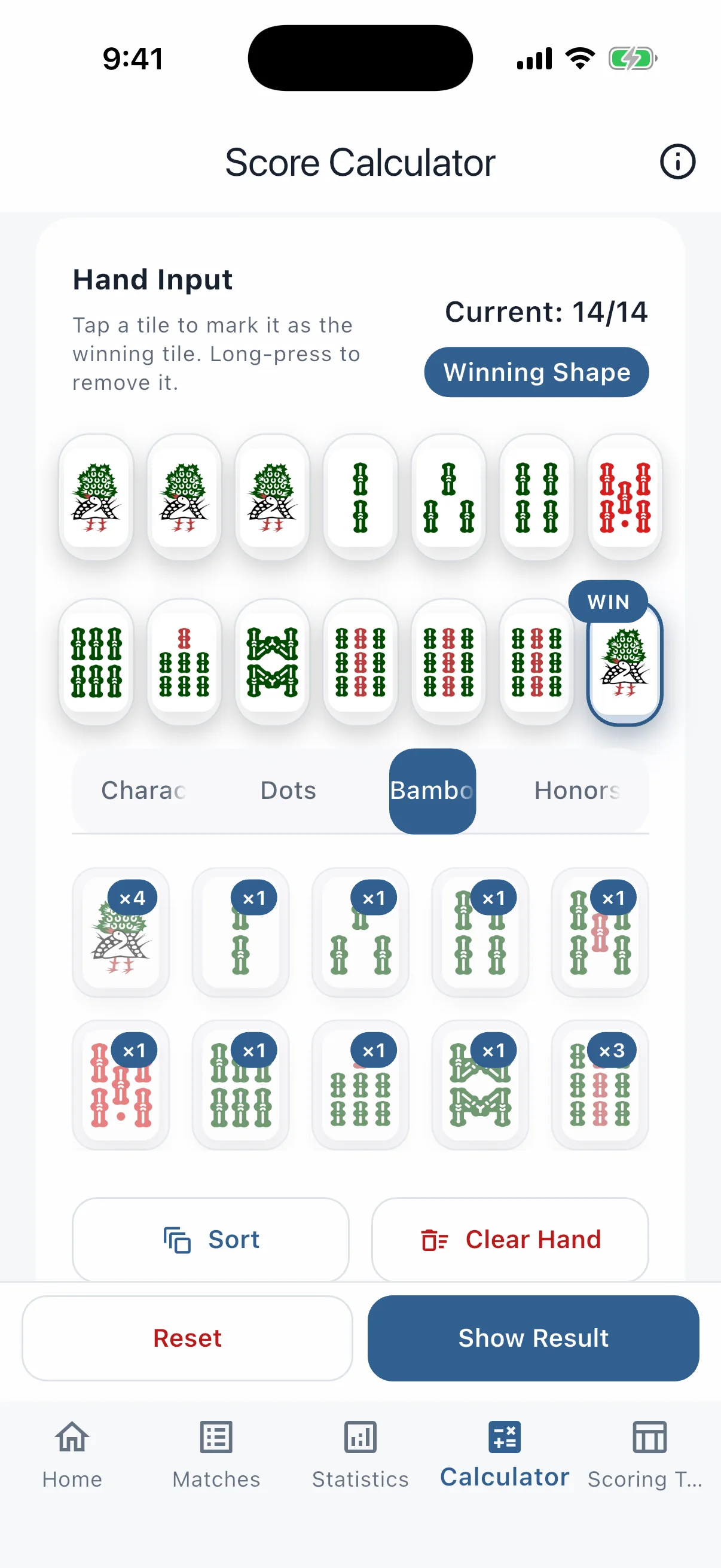
Lay out tiles to compute fu, han, and points for ron or tsumo with dealer and non-dealer handling.
Export performance tables, match record tables, and score sheets as images or CSV files so you can drop them into spreadsheets right away.
Create backups with one tap and restore by picking a file—your valuable history stays safe.
Automatically switches to a dim theme in dark parlors so eyes stay comfortable.
Learn how to record consistent calculation rules and review performance on the same basis every time.
View all mahjong guidesLearn the tiles, flow of play, winning hands, yaku, scoring, and calls you need for your first game.
Read the beginner guideFollow the correct order for base points, uma, oka, rates, chips, and table fees with a four-player example.
Read the guideLearn how average rank, first-place rate, last-place rate, score, P/L, and game count work together.
Read the guideCompare paper, Excel or spreadsheets, and a dedicated app for entry, totals, sharing, and backup.
Read the guideWork through dealer and non-dealer payments, ron and tsumo, han, fu, base points, and a 30-fu 3-han example.
Read the scoring guideRecord and verify sanma uma, oka, rates, chips, and table fees without mixing them with four-player rules.
Read the sanma guideCheck yaku requirements with tile examples, then move on to tile efficiency, defense, and push-fold decisions.
Browse the yaku listUse shanten, effective tiles, and the five-block method to compare which tile to discard.
Read the tile-efficiency guideCombine genbutsu, suji, kabe, and hand value to decide whether to push or fold.
Read the defense guideCapture match logs with paper-like simplicity and analyze them right after the game.
After each game, enter points and ranks. Rates and chips can be set, and the next match can start from the rules you entered last time.
Points, chips, rates, and table fees are calculated as you enter them, with every difference kept easy to check.

See the rules, players, rates, table fee, and final result together for quick review and sharing after the match.
The UI stays simple while keeping every analysis tool close at hand.


We clear up common concerns so you can bring the app to the next session immediately.
Yes. You can choose the rules for 3-player and 4-player mahjong, and the next match can start from the rules you entered last time.
Use the in-app backup tool to save with one tap. Restoring is as simple as choosing the saved file.
Yes. The Android version is available on Google Play, and the iPhone / iPad version is available on the App Store.
Yes. Export your results as CSV files and import them into Google Sheets or Excel for deeper analysis. The data can also be used as a match record table.
Yes. MemoJong can output results as a performance table, match record table, or score sheet, using image and CSV formats for sharing settlements.
Yes. You can download MemoJong for free and start recording mahjong sessions right away.
Yes. MemoJong can record table rules such as rates, uma, oka, chips, and table fees.
Yes. You can include table fees to manage the real payout for a private mahjong session.
Yes. MemoJong helps you review performance by opponent and by regular group.
Yes. Average placement, placement distribution, and trends are available in the stats screens.
Yes. Use backup and restore to move saved match records to another device.
No. You can use MemoJong without account registration.
Match records are primarily stored on-device. See the privacy policy for information used for analytics, advertising, and app reliability.
Yes. It is built for recording private sessions, payouts, chips, and fees.
Yes. MemoJong supports iPhone, iPad, and Android devices.
MemoJong is free to download. Start logging today's matches smarter with the app.


Works on iPhone / iPad / Android · Free download